Walk-in to won: running a whole wheel sale on one screen
Feature lists don't tell you much. Here's one wheel sale walked end to end, from the customer pulling in to the deal marked won, when everything lives in one place.
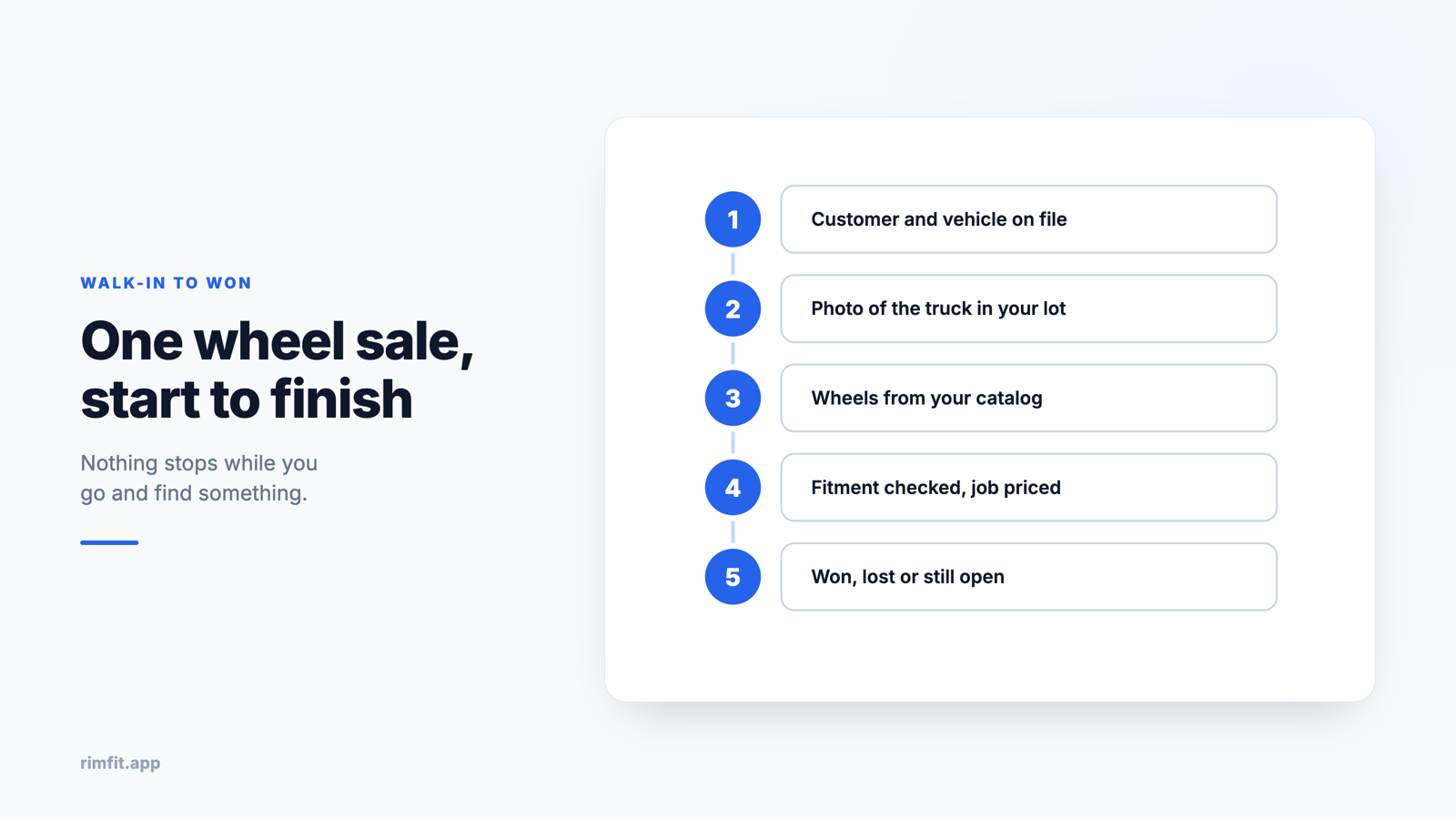
Comparing feature lists tells you very little about whether software will help at the counter. Walking a real sale through it tells you a lot. So here's one, start to finish, the way it runs when everything lives in one place.
A customer pulls in. He's been thinking about wheels for his truck for a while and wants to see options. This is the point where it usually gets slow.
The customer goes in first
Name, number, and his vehicle. It takes a few seconds, and it matters because everything that follows attaches to him instead of to a sticky note that gets thrown away on Friday.
Then a photo of his truck
The actual one, sitting in your lot, taken on a phone. Most shops skip this because they've never had a reason to take it. It's the step that changes the rest of the conversation. There's advice on getting a usable shot in how to photograph a car for a wheel preview.
Wheels from your catalog, not a binder
Filtered to what fits and what he's after, so he's choosing between three real options rather than scrolling a wall of them. He points at two or three.
See it on your customer's actual car
RimFit turns a photo of the car + any set of rims into a photoreal preview in seconds. Built for tire & wheel shops.
RimFit for shops →The wheels go on his truck
Ten seconds later he's looking at his own vehicle, his color, wearing the set he pointed at. This is where the hesitation tends to go, because there's nothing left for him to picture.
Fitment gets checked while he looks
Bolt pattern, offset and clearance against his truck specifically. If something won't work you find out now, with him standing there and three other options on screen, rather than in the bay next week with the tires already mounted.
Price the job in the same place
Wheels, tires, TPMS, mount and balance, as one number next to the picture. He sees what it looks like and what it costs in the same glance, which is the combination that gets a yes.
If he still wants to think
Text him the link. He shows it to his wife at home. You can see whether he opened it, which tells you who's worth a call on Thursday and who isn't.
However it ends, it's recorded
Interested, won or lost. The sale carries a status, so your close rate becomes a number you can look at rather than a feeling you have. Over a few months that also tells you which wheels actually sell, which is worth more than any supplier's recommendation.
Read back through that and notice what didn't happen. No switching between tools, no retyping a spec into a quote, no hunting for a photo of approximately the right vehicle, no sticky note. That's the case for running it on one system: the sale never has to stop while you go and find something.
Frequently asked questions
What does a good in-store wheel sale process look like?
Get the customer and vehicle into your system, photograph the actual car, show two or three wheels on it, check fitment before quoting, price the whole installed job as one number, then record the outcome. The aim is for none of those steps to require switching tools while the customer waits.
Why photograph the customer's car instead of using a stock image?
Because the objection you're answering is "how will it look on mine?" A stock vehicle in the wrong color doesn't answer that, and the customer knows it. Their own truck in your lot does.
How do I follow up after the customer leaves?
Share the render as a link and record the quote as a lead with a status. If you can see whether the link was opened, you know who to call back and who to leave alone, instead of guessing from a notebook.
Show customers their car — before they buy
RimFit is the AI wheel visualizer built for tire & wheel shops.
RimFit for shops →